 4.8/5
4.8/5







Budget Planner Guide
Welcome and thank you for your order of the Essentialbag Budget Planner!
To guarantee you a seamless experience and make setting up your new digital budget planner as easy as possible, please follow these optimized steps.
Digital budget planner
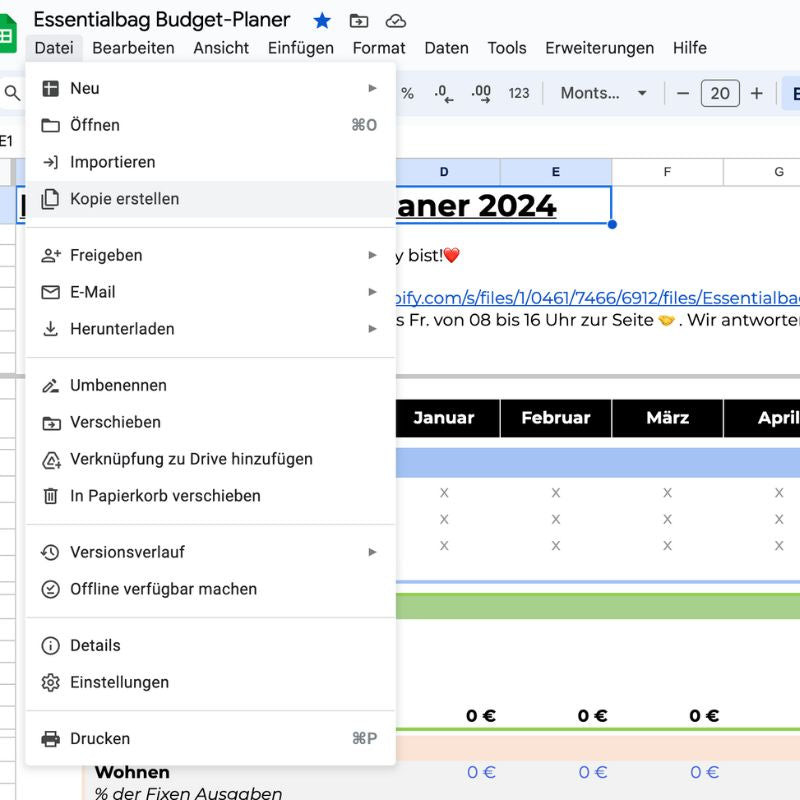
1. Open the file and save it
Open the link to the budget planner, which will take you directly to the Google Sheets file. Click on the tab at the top. "File" and choose "Create a copy". You can then save the file locally or in your own Google Drive and name it however you like. This way, you always have your personal budget planner readily available.
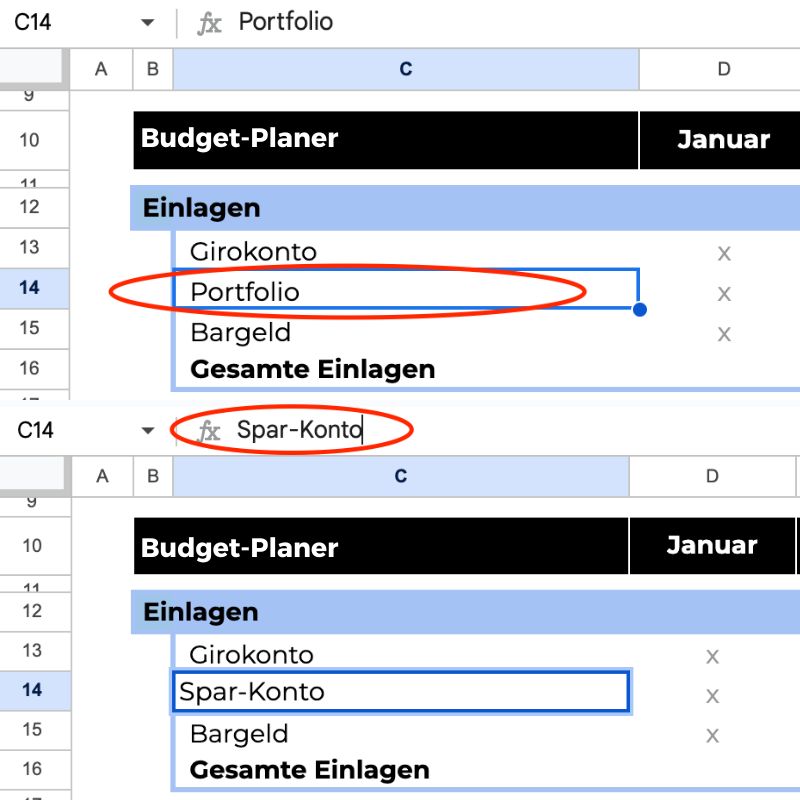
2. Personalize Categories
Click on the desired cell in the spreadsheet to edit it. In the formula bar at the top, you can enter your personal categories or entries and customize the cells to your needs. This makes personalizing your budget planner easy.
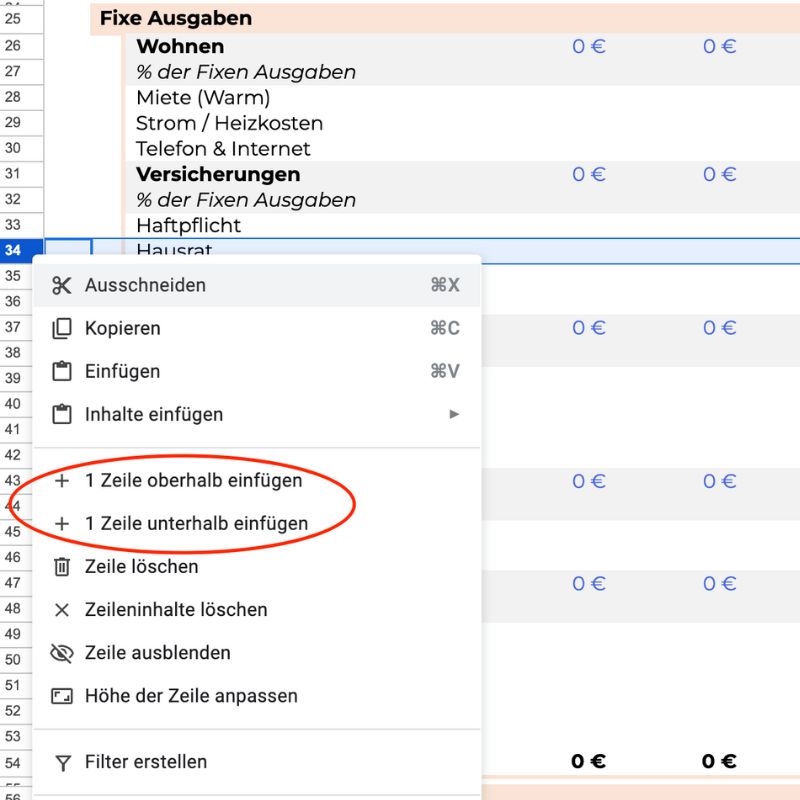
3. Expand budget planner
To add a row, right-click on the row number on the left. Select "Insert row above" or "Insert row below". This way you can expand your budget planner.
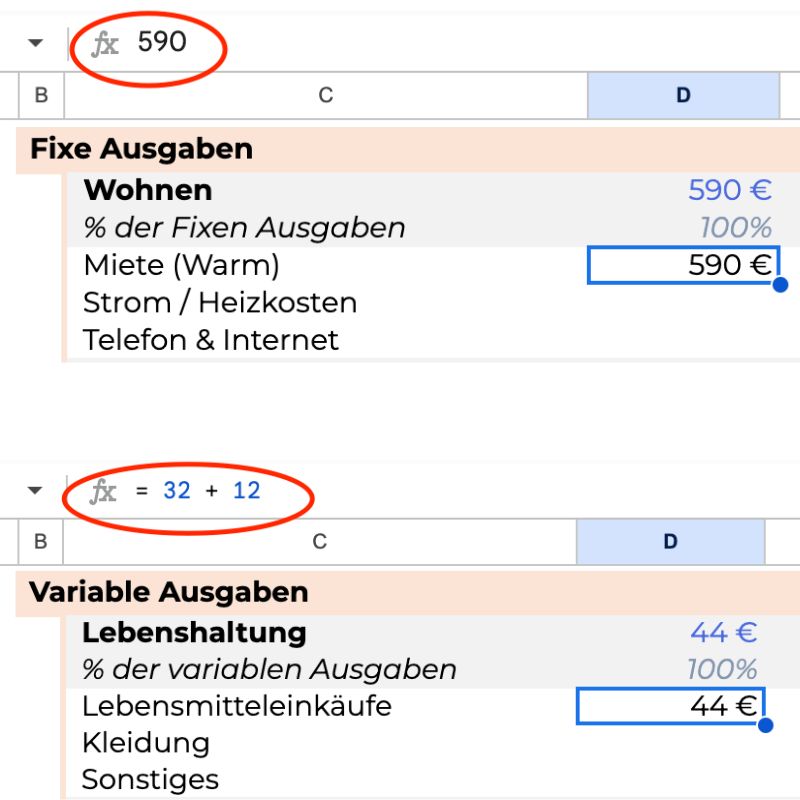
revenue and Record expenses
Select the relevant cell and enter your income or expenses in the formula bar. For recurring expenses, enter an "=" followed by the cost, and then add a "+". This allows you to accurately track all financial transactions.
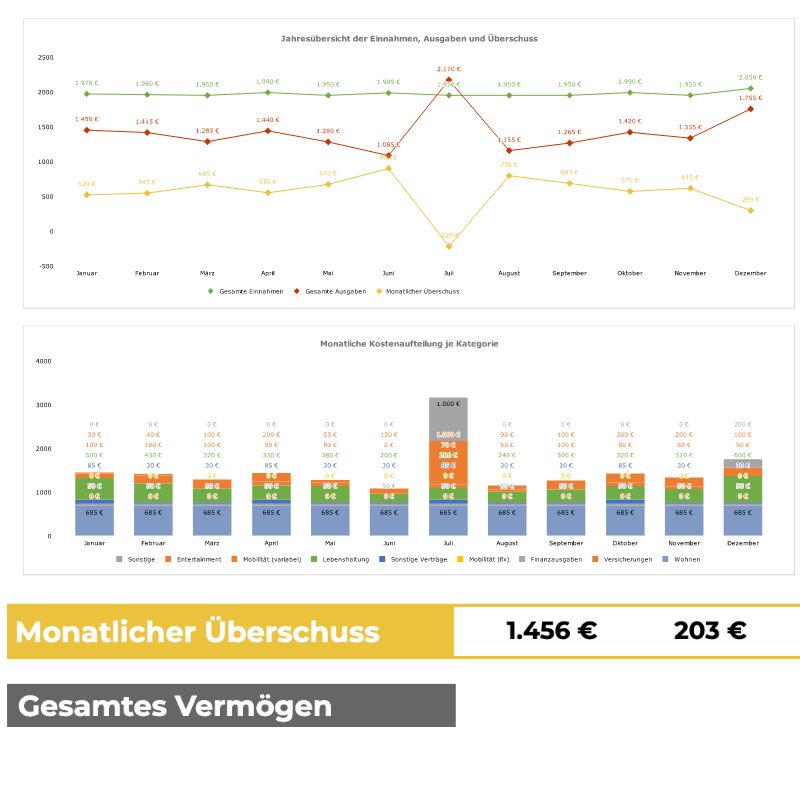
Finances in view
At the bottom of the document, you'll find the line "Monthly Surplus." Here you can see at a glance whether you're in the black or the red. A positive amount shows that you've spent less than you've earned – congratulations! A negative amount indicates that you've spent more than you can afford. Now you can specifically look for ways to save money and optimize your spending.
The advantages at a glance
In today's fast-paced world, it's easy to lose track of your finances. We know that the idea of writing down every penny you spend can be overwhelming at first. But our budget planner is designed to be easy to use. It offers clearly structured ways to document and analyze your finances. By meticulously recording your income and expenses, you can:
- Creating transparency: Identify where your money is going and find potential savings.
- Optimize budgets: Adjust your budgets to your financial goals, whether for purchases, holidays, or retirement savings.
- Achieve savings goals: Set clear savings goals and track your progress. The budget planner is your personal financial coach.
Should you have any further questions, you can find answers in our FAQ section.
FAQ
Frequently Asked Questions and Answer
Since the budget planner is a digital product, delivery is immediate. After purchase, you'll receive a link via email that allows you to access the budget planner directly in Google Sheets. You can start planning and managing your finances right away, without any waiting for shipping.
You can easily open the digital budget planner via a link we provide after your purchase. The planner is located in a Google Sheets document, which you can access from any internet-enabled device.
To use the budget planner, you need a Google account. This allows you to save the document directly to Google Drive, edit it, and automatically save your changes.
In Google Sheets, you can control who has access to your document. Under the "Sharing" menu, you can add users and set their access levels (z.B. Editors or viewers) and can also revoke access if desired.
Yes, the budget planner is fully compatible with mobile devices. You can open and edit the document using the Google Sheets app, which is available for free in the Apple App Store and the Google Play Store.
Your data in the budget planner is protected by Google's advanced security technologies. These include encryption in transit and at rest, as well as various security protocols that keep your information safe and private.
If you experience technical difficulties, you can contact Google's support directly, or you can contact our customer service, who will be happy to help you.
Yes, the budget planner is fully customizable. You can add your own categories for income and expenses, modify existing categories, and adjust the document layout to your specific needs. This gives you maximum flexibility.

Need support?
CONTACT OUR FOUNDER
For direct questions about the product, our managing director will be happy to assist you. Don't hesitate to contact him directly:
Send us an email to: support@essentialbag.de
We are happy to help!